> ## Documentation Index
> Fetch the complete documentation index at: https://docs.coderabbit.ai/llms.txt
> Use this file to discover all available pages before exploring further.
# Prepare self-hosted Git providers for SSO
> Update the CodeRabbit OAuth application on GitHub Enterprise Server or GitLab Self-Managed before onboarding the provider to an Enterprise SSO workspace.
export const EnterprisePlanBadge = ({tip = "This feature is available exclusively as part of the Enterprise plan. Please refer to our pricing page for more information about our plans and features.", title = "Enterprise Plan", cta = "Read more", href = "https://coderabbit.ai/pricing", disabled = false}) => {
return
{title}
;
};
export const AdminRoleBadge = ({tip = "This feature requires an organization owner, an admin role or the corresponding permission. Regular Members do not have access.", title = "Admin Only", cta = "View roles", href = "/management/roles", disabled = false}) => {
return
{title}
;
};
When you add a self-hosted Git provider to a CodeRabbit Enterprise SSO workspace, update the existing CodeRabbit OAuth application on that Git provider before starting the SSO onboarding process. This allows the OAuth application to return users to the CodeRabbit workspace onboarding flow.
This preparation is required for GitHub Enterprise Server and GitLab Self-Managed. It is not required for GitHub Cloud or GitLab.com.
Before starting, give your CodeRabbit account team:
* The base URL of each self-hosted Git provider instance
* The Git organizations or groups that you want to add to the SSO workspace
* Confirmation that the callback or redirect URI change described below is complete
## GitHub Enterprise Server
For GitHub Enterprise Server, replace the CodeRabbit OAuth application's authorization callback URL with the CodeRabbit application URL.
Sign in to GitHub Enterprise Server as an administrator who can manage the CodeRabbit OAuth application.
Open:
```text theme={null}
https:///settings/applications/
```
Set **Authorization callback URL** to:
```text theme={null}
https://app.coderabbit.ai/
```
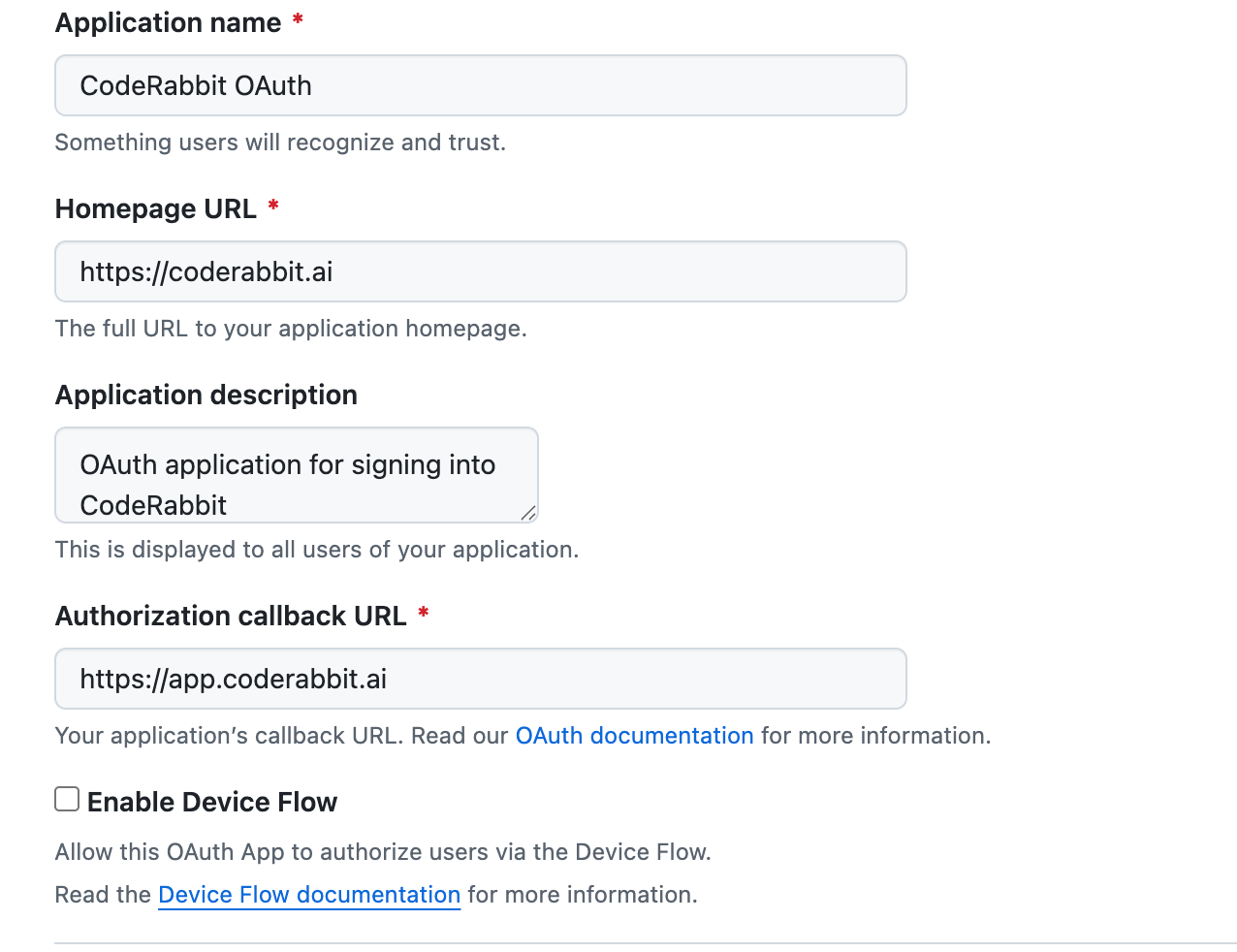 Save the OAuth application and confirm the callback URL still shows `https://app.coderabbit.ai/`.
## GitLab Self-Managed
For GitLab Self-Managed, add the CodeRabbit SSO onboarding callback as an additional redirect URI. Preserve the application's existing redirect URI entries.
Sign in to GitLab Self-Managed as an administrator and open:
```text theme={null}
https:///admin/applications
```
Find the authorized CodeRabbit application and select **Edit**.
Save the OAuth application and confirm the callback URL still shows `https://app.coderabbit.ai/`.
## GitLab Self-Managed
For GitLab Self-Managed, add the CodeRabbit SSO onboarding callback as an additional redirect URI. Preserve the application's existing redirect URI entries.
Sign in to GitLab Self-Managed as an administrator and open:
```text theme={null}
https:///admin/applications
```
Find the authorized CodeRabbit application and select **Edit**.
 In **Redirect URI**, start a new line and add:
```text theme={null}
https://app.coderabbit.ai/sso/onboarding/oauth-callback
```
Do not replace the existing CodeRabbit login redirect URI. GitLab accepts one redirect URI per line.
In **Redirect URI**, start a new line and add:
```text theme={null}
https://app.coderabbit.ai/sso/onboarding/oauth-callback
```
Do not replace the existing CodeRabbit login redirect URI. GitLab accepts one redirect URI per line.
 The screenshot shows temporary test-environment URLs. Use the production CodeRabbit callback URL shown above.
Save the application, reopen it, and confirm that both the existing login redirect URI and the new SSO onboarding callback are present.
## What's next
Continue with the SSO rollout checklist and select the setup guide for your identity provider.
Provision and deprovision workspace members automatically after SAML SSO is active.
Contact CodeRabbit if you cannot locate the OAuth application or need help validating the callback configuration.
The screenshot shows temporary test-environment URLs. Use the production CodeRabbit callback URL shown above.
Save the application, reopen it, and confirm that both the existing login redirect URI and the new SSO onboarding callback are present.
## What's next
Continue with the SSO rollout checklist and select the setup guide for your identity provider.
Provision and deprovision workspace members automatically after SAML SSO is active.
Contact CodeRabbit if you cannot locate the OAuth application or need help validating the callback configuration.